Extracting the firmware
The Extractor is the central tool for unpacking the firmware. Among other things, it extracts the file system, the kernel and the boot loader and thus creates the basis for all further analyses, such as finding CVEs or creating an SBOM (Software Bill of Materials). In the database and in the Redis queues the extractor is registered as the tool binwalk.
At the beginning of the project, Binwalk was used to extract firmware images. As the project progressed, however, it became apparent that Binwalk was unable to successfully extract many of the firmware images. This included, for example, numerous images from AVM, which made further analysis impossible. After evaluating and testing various alternative solutions, the decision was made in favour of the FACT-Extractor from the Fraunhofer Institute. Using the FACT-Extractor, most images can be successfully unpacked. For the remaining formats (non-standard SquashFS variants, TRX containers, JFFS2 partitions, vendor archives) the extractor combines FACT with further tools.
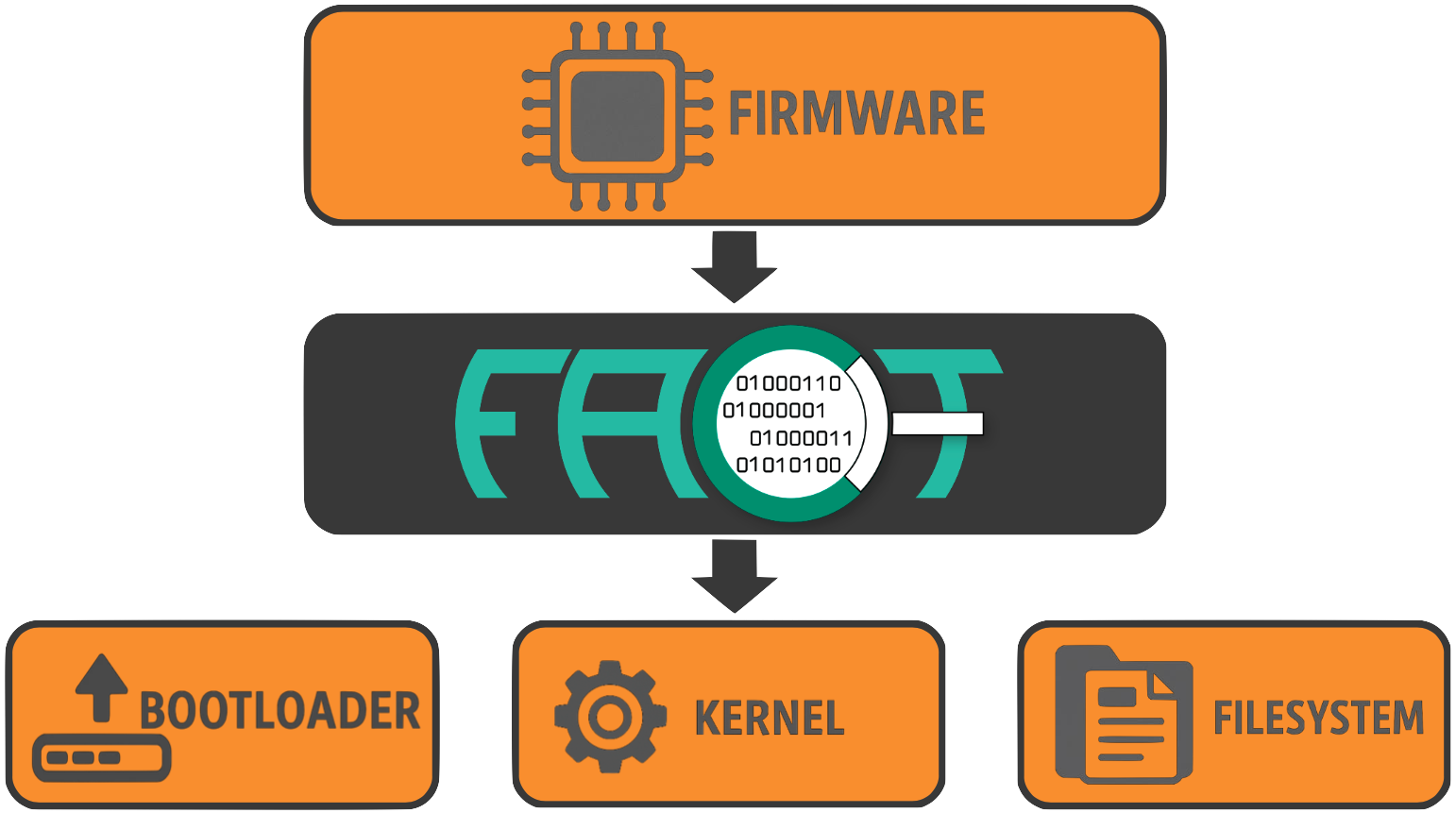
For more information on FACT, please visit the FACT-Extractor on GitHub.
Architecture
The extractor service consists of two parts in src/extractor/:
extractor.py: the worker. It takes tasks from the Redis queuequeue_binwalk, starts the extraction, writes the results and reports back to the executor.recurse_extract.py: the extraction pipeline. It is started by the worker as a separate process (python /app/recurse_extract.py <image> [--manufacturer <name>]) and prints its result as a single lineEXTRACTOR_RESULT:{...json...}.
The Docker image is based on fkiecad/fact_extractor and additionally contains unblob, binwalk and further unpackers (see Dockerfile_extractor). The base image is pinned by digest (fkiecad/fact_extractor:latest from 2026-09-02) and unblob to version 26.3.30, so every build contains the same tool versions. To update them, change both in Dockerfile_extractor and run the regression tests with real firmware (see testing pipeline).
Extraction pipeline
recurse_extract.py runs the following steps for every image:
- Archive pre-processing: Vendor downloads are often ZIP or TAR archives. They are detected by their magic bytes (extension as fallback), unpacked, and the firmware file inside is used as target. Files with typical firmware extensions (
.bin,.img,.trx,.chk, ...) are preferred, otherwise the largest file is used. Archives come from vendor sites or uploads and are treated as untrusted: TAR archives are unpacked with Python'sdatafilter, which rejects members outside the target folder (../, absolute paths, links pointing outside) and device files. Such an archive is not pre-extracted and is handled like a raw image instead. ZIP files are safe by default (zipfilestrips../and absolute paths). - Vendor-specific routing: The executor passes the manufacturer of the image in the task payload. Currently there is one special case:
- Synology
.patfiles of DSM 6.x are plain tar archives and are unpacked directly. DSM 7.x.patfiles are encrypted; they fall back to the standard pipeline.
- Synology
- Signature scan:
binwalk(orpython-magicas fallback) scans the image. The signatures are stored in the tablebinwalk_results. - TRX containers (Broadcom, e.g. Netgear
.chk): if theHDR0magic is found,untrxsplits the image into its segments. - FACT runs on the firmware file(s) and on all TRX segments.
- Encrypted fast-path: if FACT reports an entropy above
0.95, could not unpack the file (packed) and nothing was extracted, the image is treated as encrypted and all further steps are skipped. This saves several minutes per encrypted image. - Recursive extraction: FACT is run again on every extracted file that looks like a container, until no new files appear. A file is only considered if it is at least 64 KB and either has a known container extension or no extension at all (ELF binaries and text files are skipped). Each nested container is extracted into its own folder next to it,
<file>_extract/files/, so its content never overwrites the parent file system. The recursion depth is limited to 10 directory levels belowfiles/. - sasquatch is run on the TRX segments and extracted containers to handle non-standard SquashFS variants (e.g. DD-WRT, Belkin).
- JFFS2: if the JFFS2 magic is found in the image,
jeffersonextracts it. unblob sometimes misses JFFS2 partitions in multi-partition images. - unblob is used as last resort (timeout 5 minutes) if no root filesystem was found so far. Every run writes its log to its own temporary file (
--log, outsideextracted/), which is removed afterwards. Without it, all workers shared/app/unblob.log; unblob deletes this file at start, so a second parallel run made the first one stop withPermissionErrorand only part of the image was extracted (#281). An exit code other than 0 is logged as a warning but does not fail the extraction, because unblob already returns 1 if a single chunk could not be handled.- CramFS fallback: unblob extracts CramFS with
7z, which only knows zlib blocks. Firmware built with the Broadcom SDK (e.g. Belkin ADSL routers) uses big-endian CramFS with LZMA blocks;7zthen creates every file with 0 bytes and still exits with a usable folder. If a<name>.cramfs_extractfolder contains only empty files,recurse_extract.pyextracts the carved<name>.cramfsagain with its own CramFS reader (little and big endian, zlib and Broadcom LZMA blocks, directories, files with permissions, symlinks; device files are skipped). The old folder is only replaced if this succeeds. Like archives, CramFS images are untrusted: names with/or..are ignored, and symlinks are created but never followed while writing. An entry with the same name as an earlier symlink replaces the link instead of writing through it, and every write must stay inside the extraction folder (found in the review of !242).
- CramFS fallback: unblob extracts CramFS with
- Result: if all extracted files are empty, the method is
failed(see below). Otherwise a directory counts as root filesystem if it contains at least three ofbin,etc,lib,sbin,usr, or bothetcandusr(merged-/usr systems like Synology DSM, wherebin,libandsbinare symlinks intousrthat get lost during extraction). A directory namedusris never the root and is not searched. If FACT extracted a root filesystem intofiles/, it is used; otherwise, of all candidates belowextracted/the one with the most files wins (e.g. QNAP contains theinitrdroot,rootfs2as/usrand many packages with their ownetcandusr). If the chosen directory is an AVM wrapper with an extractedfilesystem_core.squashfsthat is itself a root filesystem, the inner system is used (see Note on AVM images).
Timeouts: FACT (5 minutes per call), unblob (5 minutes), sasquatch, jefferson, binwalk and untrx (2 minutes each) and tar for Synology .pat files (5 minutes test, 15 minutes extraction, then fallback to the standard pipeline) run in their own process group (_run_tool). On a timeout the whole group is killed, not only the tool itself, so no worker processes keep running in the background or keep the output pipe open.
All results are written below <image directory>/extracted/:
| Folder | Content |
|---|---|
files/ | output of FACT for the firmware image |
files/**/<file>_extract/files/ | output of FACT for a nested container <file> |
reports/meta.json | FACT metadata (entropy, plugin, summary) |
sasquatch_extracted/ | output of sasquatch |
jffs2_extracted/ | output of jefferson |
unblob_extracted/ | output of unblob |
Extraction methods
The field extraction_method tells which step produced the result:
| Method | Meaning |
|---|---|
fact | FACT extracted the root filesystem (directly or from a nested container) |
sasquatch | the root filesystem was found in the sasquatch output |
unblob | the root filesystem (or at least one file) was found in the unblob output |
jffs2 | only jefferson extracted files |
synology_pat | Synology .pat file unpacked by the vendor-specific path |
encrypted | image detected as encrypted (fast-path) |
failed | nothing could be extracted, or all extracted files are empty (names without content) |
For failed and encrypted the extractor reports failure to the executor (the reason is written to extractor-output.txt, extractor-output.json is still written). Otherwise the following tools would run on an empty folder and report 0 findings, which looks like a clean firmware. The executor then marks the dependent tools as failed as well.
Output
For every task the extractor writes two files into the task output folder:
extractor-output.txt: the log of the extraction.extractor-output.json: the structured result.
{
    "image_id": 42,
    "image_path": "/firmware_scraper/downloads/.../fw.bin",
    "file_count": 1234,
    "extraction_method": "fact",
    "rootfs_path": "/firmware_scraper/downloads/.../extracted/files",
    "trx_segments_found": 0,
    "sasquatch_files": 0,
    "fact_entropy": 0.97,
    "fact_plugin": "SquashFS",
    "fact_summary": ["unpacked"],
    "binwalk_signatures_count": 3,
    "binwalk_entries": [{"offset": 0, "description": "Squashfs filesystem, ..."}],
    "encrypted": false
}
The downstream tools use two different scan scopes (both in src/analysis_tool_set/utils.py):
| Tool | Scans | Why |
|---|---|---|
boot-analysis, cve-bin-tool, sbom-gen | rootfs_path (get_rootfs_path()) | they need the root filesystem; scanning the whole folder would count binaries twice when several extractors unpacked the same filesystem |
trufflehog, firmwalker | the whole extraction <image directory>/extracted (get_extraction_dir()) | secrets and config files can also be in other partitions, e.g. jffs2_extracted/ (Belkin config partition) or a second filesystem |
get_rootfs_path() falls back to <image directory>/extracted if the file or the path is missing.
The return message to the executor additionally contains file_count and extraction_method.
Configuration
The number of parallel extractor workers is set with the environment variable EXTRACTOR_WORKER_COUNT (default 2). It is asked for by ./configure (option --extractor_worker_count, only positive numbers are accepted) and passed to the container in docker-compose.yaml. If the variable is missing in docker_compose_dir/.env (e.g. an .env created before this option existed), docker-compose.yaml and the extractor both fall back to 2.
More workers speed up the extraction considerably (benchmark with 86 to 106 images: 2.8 to 4.6 times faster with 10 instead of 2 workers), but every worker runs FACT, sasquatch and unblob in parallel. Recommended values from the benchmarks:
| RAM | Workers |
|---|---|
| 32 GB | 5 to 6 |
| 64 GB | 10 |
With too many workers for the available CPU and memory, large images silently produce far fewer files instead of failing.
Fixed issues
The tests (see below) found three bugs that are fixed since:
- Nested images were merged into the parent root filesystem. Every FACT run moved its output into the same
extracted/files/folder, so the files of an inner image (e.g. an application partition inside the root filesystem) overwrote files of the outer root filesystem, andfact_entropy/fact_plugindescribed the last nested FACT run. Nested containers now get their own folder<file>_extract/. unblobwas reported although nothing was extracted. If unblob ran as last resort but found nothing, the method is nowfailed.rootfs_pathpointed to ausrdirectory.usr/usually containsbin,libandsbinand was therefore taken as root filesystem, e.g. for Synology DSM (hda1_extract/files/usrinstead ofhda1_extract/files) and QNAP (usrofrootfs2instead of theinitrdroot). Downstream tools then missedetc/andvar/. Found by the regression tests with real images.
Fixed with #269:
- CramFS with Broadcom LZMA blocks was extracted as empty files, but reported
success. For the Belkin F5D8630 all 366 files from unblob had 0 bytes (7zreportsData Errorfor every file). cve-bin-tool, sbom-gen and the boot analysis then scanned empty files. The CramFS fallback (step 10) now extracts the real contents (269 files and 58 symlinks,bin/busyboxis a MIPS big-endian ELF). In general, an extraction that only contains empty files is nowfailedinstead ofsuccess. The regression test missed it because it only checked that the key files exist; it now also checks that they are not empty.
Fixed after the code review of the extractor branch:
- Container crash without
EXTRACTOR_WORKER_COUNT. An.envfrom before the option existed madeint("")fail at start. Bothdocker-compose.yamland the extractor now default to2;./configureonly accepts positive numbers. - Path traversal in TAR archives ("tar slip"): a member like
../../filewas written outside the extraction folder. TAR archives are now unpacked with thedatafilter. - Failed and encrypted extractions reported
success. The following tools then reported 0 findings. Both now reportfailure. - Secret search only covered
rootfs_path. trufflehog and firmwalker scan the whole extraction again, so config partitions and further filesystems are included.
The regression test with the AVM FRITZ!Box 7490 (FRITZ!OS 7.62) shows the effect of the first fix on real firmware: 15,273 instead of 11,859 extracted files, because the files of the nested filesystem_core.squashfs are no longer overwritten.
Fixed later:
- Parallel unblob runs broke each other (#281). With two extractor workers both unblob runs used the same
unblob.log. The first run stopped early and the partial result was reported assuccess(e.g. FRITZ!Box 7690: 14,331 instead of about 20,990 files when the 7390 was extracted at the same time). Every run now has its own log file, and a non-zero exit code is logged. rootfs_pathpointed to the AVM wrapper instead of the real system (#271). For the FRITZ!Box 7490 (07.62) the boot analysis failed withcould not locate init.d directory, and the CVE paths stored relative torootfs_path(#277) all started with/filesystem_core.squashfs_extract/files/.rootfs_pathnow points to the inner core system.
Note on AVM images
Some FRITZ!OS 7.x versions (in the test images: FRITZ!Box 7490 07.62) ship a small wrapper as root filesystem. Its inittab mounts filesystem_core.squashfs, switches to it with pivot_root and keeps the wrapper below /wrapper. The actual system is this inner filesystem, so rootfs_path points to filesystem_core.squashfs_extract/files/ (FACT) or filesystem_core.squashfs_extract/ (unblob), as long as it looks like a root filesystem itself and resolves to a directory inside the wrapper (a symlink like filesystem_core.squashfs_extract -> / in untrusted firmware must not move rootfs_path out of the extraction); otherwise the wrapper stays rootfs_path (#271). The few files of the wrapper (kernel, boot loader, flash_update) are then outside rootfs_path; trufflehog and firmwalker still see them, because they scan the whole extraction. file_count still counts both.
Other AVM images in the test set (7581 07.18, 7390 06.88, 7690 08.22, Powerline 540E and 1240 AX) have no such wrapper. Images extracted before this change keep the wrapper as rootfs_path in their extractor-output.json until they are extracted again.
Tests
The extractor is covered by four test levels, see Testing Pipeline:
- unit tests for the pipeline logic with mocked tools (
tests/unit/), - integration tests of the worker with database and Redis (
tests/integration/test_tools.py), - integration tests that run the real pipeline on generated test images (
tests/extraction/), - regression tests with real vendor firmware images (
tests/firmware/).